guide
Best Crash Reporting Tools for Mobile Apps (2026): Free Tiers Compared
Crashlytics when the app is already on Firebase. Sentry when crashes cross into the backend or the web.
- Published
- October 20, 2026
- Last checked
- October 22, 2026
- Author
- IndieAppStack
Short answer
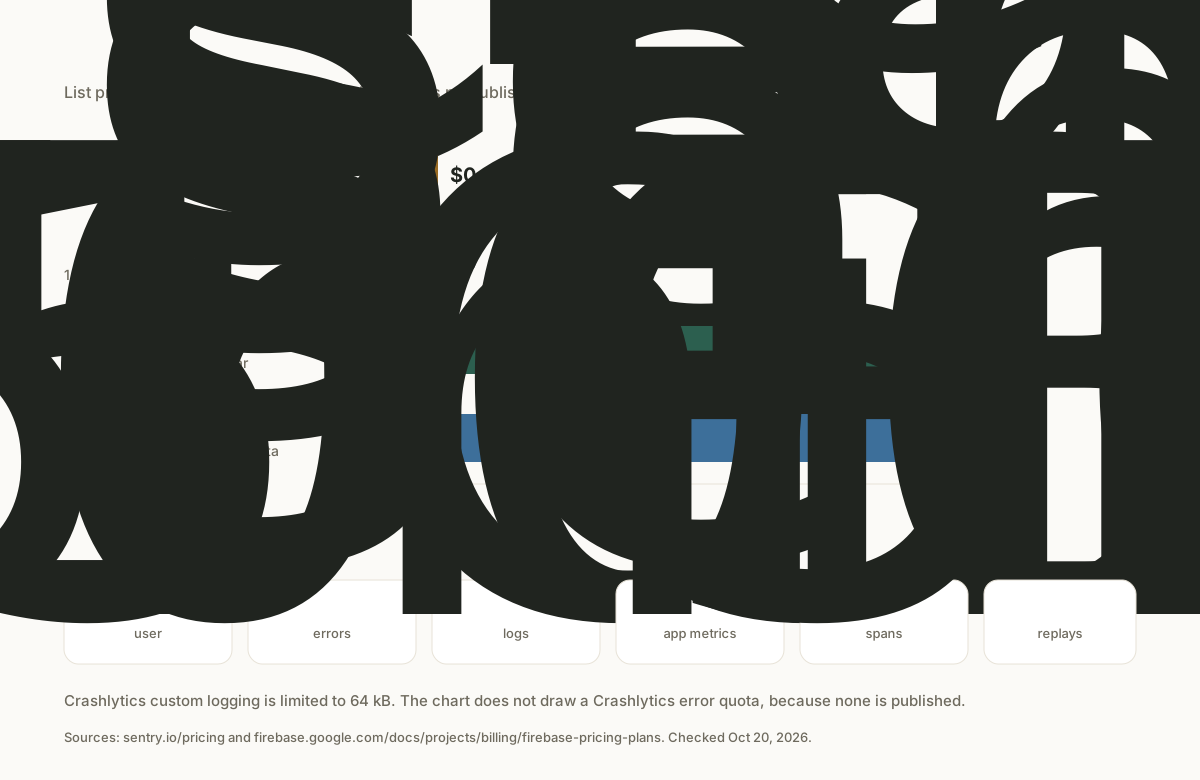
Pick by the stack you already have. If the app is on Firebase, use Firebase Crashlytics. If crashes also need to sit with backend or web errors, use Sentry. The crash reporting category lists those two tools. This guide ranks the tools that category lists. Bugsnag, Instabug, Embrace, and Measure have no page in it.
The head-to-head on monitoring scope, including how the free limits differ, is Sentry vs Firebase Crashlytics for mobile apps. This page is the ranked list for the category.

We build Mantis and MrGripper. Mantis is an iPhone trading journal. The Crashlytics section later in this guide is from the setup notes for that app, including the build errors and the fix that got a test crash into the console.
Solo builder scope
Free tiers compared
Prices and feature claims below are the vendors' own, checked Oct 20, 2026. Recheck the linked pages before you commit spend. A Firebase project can still bill for other products even when Crashlytics itself has no charge.
Free tier, paid entry, and mobile fit (checked Oct 20, 2026)
| Decision | Firebase Crashlytics | Sentry |
|---|---|---|
| Free tier | No-cost product on Spark and Blaze, including production apps. Custom logging is limited to 64 kB. Checked Oct 20, 2026. Firebase pricing plans | Developer plan is $0 for 1 user: 5,000 errors, 5 GB of logs, 5 GB of application metrics, 5 million spans, and 50 replays a month. Checked Oct 20, 2026. Sentry pricing |
| Paid entry price | No Crashlytics paid tier. Other Firebase or Google Cloud products in the same project can still bill. Checked Oct 20, 2026. Firebase pricing | Team is the paid entry: $26 a month when billed annually ($312 a year) on the plan card. The same page's structured data lists a monthly Team price of $29. Checked Oct 20, 2026. Sentry pricing |
| iOS SDK | Official Apple platforms guide, including dSYM upload. Checked Oct 20, 2026. Apple setup | Official iOS guide under Apple platforms. Checked Oct 20, 2026. Sentry platforms |
| Android SDK | Official Android SDK, plus an NDK path for native crashes. Checked Oct 20, 2026. Android setup | Official Android SDK. Checked Oct 20, 2026. Sentry platforms |
| Flutter SDK | Official Flutter plugin. Checked Oct 20, 2026. Flutter setup | Official Flutter guide under Dart. Checked Oct 20, 2026. Sentry platforms |
| React Native SDK | Not on Google's Crashlytics platform list (Apple, Android, Flutter, Unity). Checked Oct 20, 2026. Crashlytics docs | Official React Native SDK, including source map and debug symbol upload. Checked Oct 20, 2026. React Native |
| Symbolication | Android mapping files upload with the Gradle plugin. Apple dSYMs upload from the Xcode build phase in the official setup. Checked Oct 20, 2026. Android symbols | Debug symbol and source map upload is part of the official mobile setup, including the React Native wizard. Checked Oct 20, 2026. React Native |
| ANR | Android ANRs on Android 11 and higher, reported on the next app start. Checked Oct 20, 2026. ANR FAQ | Android SDK reports ANRs: a watchdog below Android 11, and ApplicationExitInfo on Android 11 and higher. Checked Oct 20, 2026. Sentry ANR |
| Session replay | Not listed as a Crashlytics feature in the official docs. Checked Oct 20, 2026. Crashlytics docs | Mobile replay for Android, iOS, React Native, and Flutter. The Developer plan includes 50 replays a month. Checked Oct 20, 2026. Mobile replay |
| Self-host | Not offered. Crashlytics runs in the Firebase console. Checked Oct 20, 2026. Firebase pricing plans | Vendor documents a Docker Compose install with no guarantees or dedicated support. Minimum stated resources: 4 CPU cores, 16 GB RAM plus 16 GB swap, and 20 GB disk. Checked Oct 20, 2026. Self-hosted Sentry |
Crash reporting on Android
Android crash tools have to do three jobs before they are useful: catch fatal crashes, catch Application Not Responding (ANR) events, and turn an obfuscated stack back into method names.
Firebase Crashlytics documents Android reports for crashes, non-fatal errors, and ANRs. Google's FAQ says Crashlytics supports ANR reporting on Android 11 and higher, because it reads getHistoricalProcessExitReasons, and that it sends those ANRs the next time the app starts. Play Console Android vitals can show a different ANR count. Google says that mismatch is expected: Crashlytics reports on the next start and only for Android 11 and higher, while Play includes a wider set of devices. Checked Oct 20, 2026, against the Android setup and the Crashlytics FAQ.
Readable Android stacks need the mapping file. The Crashlytics Gradle plugin uploads that file when the build obfuscates code, so the dashboard can show method names. Native code uses the separate NDK setup and its symbol upload. Checked Oct 20, 2026, against deobfuscated reports and the NDK guide.
Sentry also has an official Android SDK. Its ANR docs say the SDK reports an ANR when the main thread is blocked for more than five seconds. Below Android 11 it uses a watchdog thread. On Android 11 and higher it reads ApplicationExitInfo, which Sentry describes as the same data source Google Play Console uses. Checked Oct 20, 2026, against the Android ANR docs.
For a Firebase Android app, Crashlytics keeps crash and ANR triage in the console you already open. For an Android app with a backend, or a React Native app, Sentry is the tool in this category with an official React Native SDK and one issue list across those surfaces. Flutter is documented for both.
The install steps, release names, and alert habit live in the crash reporting setup guide.
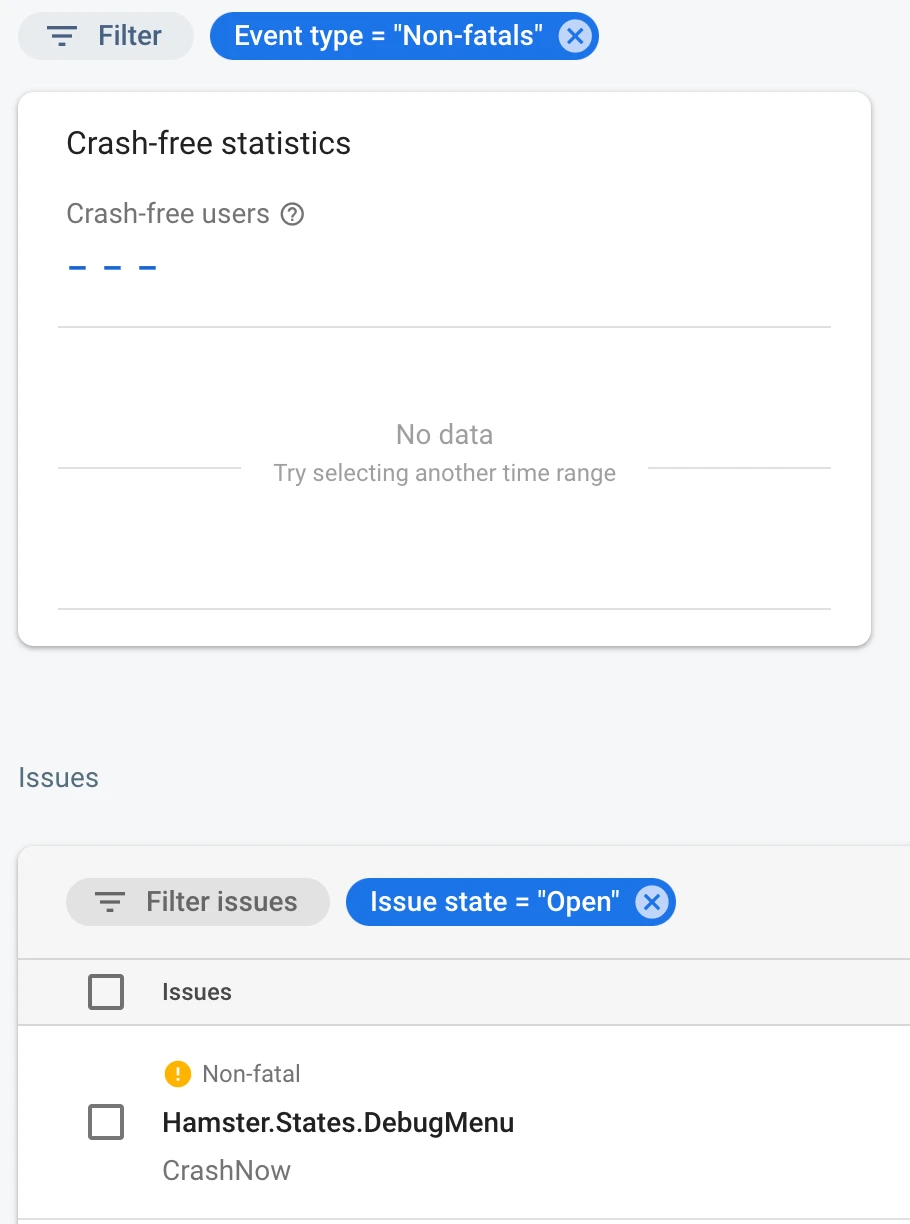
Firebase Crashlytics interface from Google Firebase Codelabs, licensed under CC BY 4.0. Unmodified.
iOS notes
On Apple platforms, Crashlytics reports crashes and non-fatal errors. The official setup adds the SDK and an Xcode build phase that uploads dSYMs, then asks you to force a test crash. Breadcrumb logs need Google Analytics, and they are not available on watchOS. Checked Oct 20, 2026, against the Apple setup.
Sentry's platform list includes an official iOS SDK, and its mobile session replay docs include iOS. Symbol upload is part of making those stacks readable. The scope choice between the two tools is the comparison linked above. The notes below are the part that comparison does not cover: what broke when we wired Crashlytics into our own iOS app.
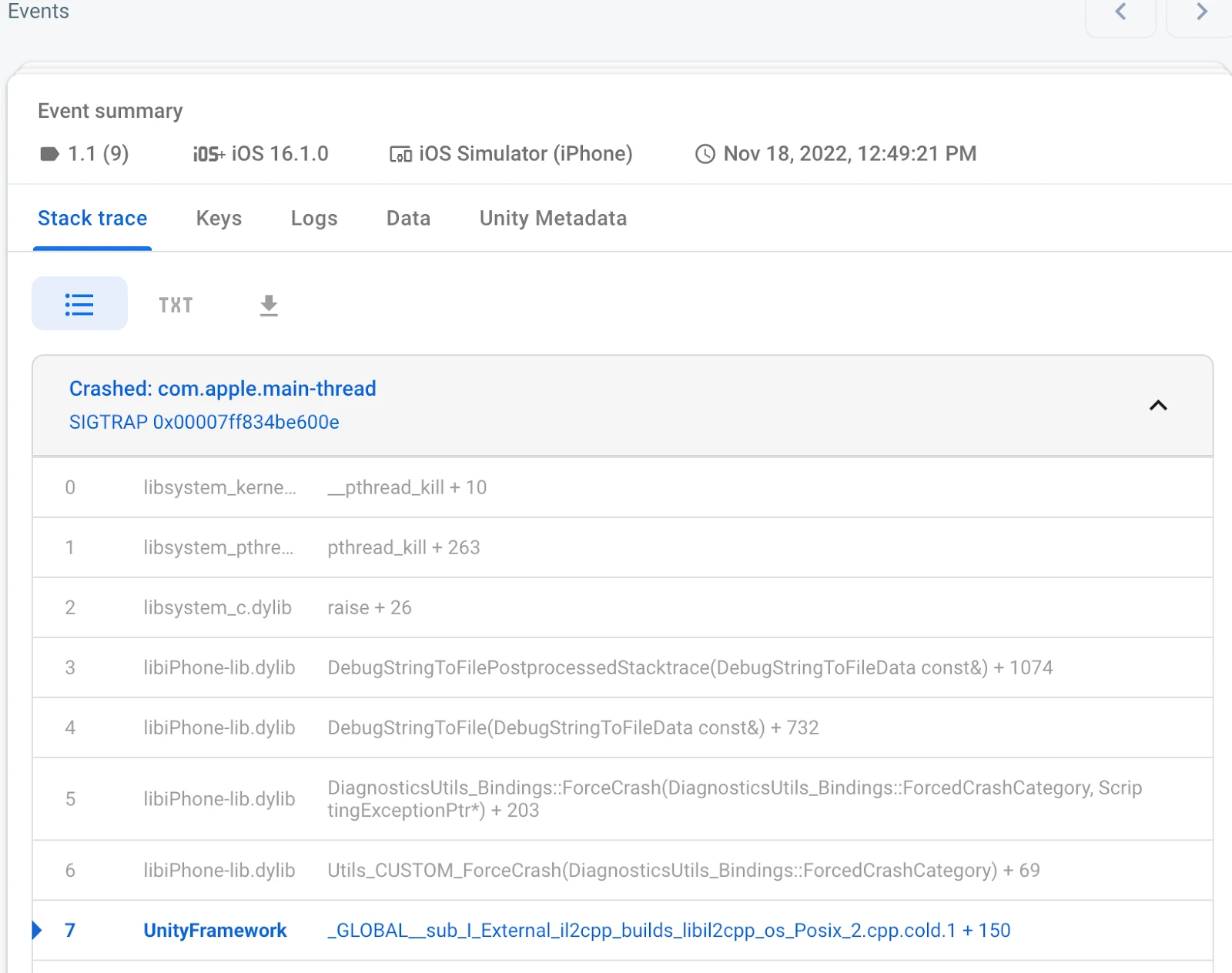
Firebase Crashlytics interface from Google Firebase Codelabs, licensed under CC BY 4.0. Unmodified.
What it took to get Crashlytics working in our own iOS app
We build Mantis and MrGripper. Mantis is an iPhone trading journal. These notes are from getting Crashlytics working on that app. They are setup failures and the fix, not a review of every crash tool.
Two build errors blocked symbol upload:
- Sandbox: upload-symbols … deny(1) file-read-data …/GoogleService-Info.plist
- Could not get GOOGLE_APP_ID in Google Services file from build environment
The fix had three parts. Pass the plist path explicitly to the Crashlytics run script. Skip the dSYM upload script on Debug and Archive builds. Let fastlane's upload_symbols_to_crashlytics upload dSYMs for TestFlight and App Store builds. Then verify that a test crash shows up in the console.

That is the whole note. The sandbox denial was upload-symbols trying to read GoogleService-Info.plist. The second error was the build environment missing GOOGLE_APP_ID from the Google services file. Pointing the run script at the plist, keeping the dSYM upload script off Debug and Archive, and uploading those symbols from fastlane cleared those two errors. The confirmation was a test crash in the Crashlytics console.
Frequently asked questions
What is the best free crash reporting tool?
There is not one free tool for every app. If the app is already on Firebase, Crashlytics has no separate charge on Spark or Blaze (checked Oct 20, 2026). If you want a free tier without Firebase, Sentry's Developer plan is $0 for one user, with 5,000 errors a month on the vendor pricing table (checked Oct 20, 2026). Both still need symbol upload before the stack traces are readable.
Is there a Crashlytics alternative without Firebase?
Yes. In this directory, that alternative is Sentry. It does not require a Firebase project, and it has official iOS, Android, Flutter, and React Native SDKs (checked Oct 20, 2026). Use it when crash reporting should stay outside a Firebase project.
Do I need crash reporting for a small app?
Yes, before the first external build. A small app still ships a binary you cannot reproduce from a one-star review. One tool, uploaded symbols, and a test crash in the console are enough. The step-by-step habit is in the crash reporting setup guide.
Source checks
Vendor claims were checked on Oct 20, 2026:
- Firebase pricing: https://firebase.google.com/pricing
- Firebase pricing plans (page last updated 2026-10-13 UTC): https://firebase.google.com/docs/projects/billing/firebase-pricing-plans
- Crashlytics overview (docs last updated 2026-10-16 UTC): https://firebase.google.com/docs/crashlytics
- Crashlytics Android setup: https://firebase.google.com/docs/crashlytics/android/get-started
- Crashlytics Android deobfuscation: https://firebase.google.com/docs/crashlytics/android/get-deobfuscated-reports
- Crashlytics Android NDK: https://firebase.google.com/docs/crashlytics/android/get-started-ndk
- Crashlytics Apple setup (docs last updated 2026-10-16 UTC): https://firebase.google.com/docs/crashlytics/ios/get-started
- Crashlytics Flutter setup: https://firebase.google.com/docs/crashlytics/flutter/get-started
- Crashlytics ANR FAQ: https://firebase.google.com/docs/crashlytics/troubleshooting?platform=android
- Crashlytics codelab screenshots, CC BY 4.0: https://firebase.google.com/codelabs/understand-unity-games-crashes-using-advanced-crashlytics
- Sentry pricing: https://sentry.io/pricing/
- Sentry platforms: https://docs.sentry.io/platforms/
- Sentry React Native: https://docs.sentry.io/platforms/react-native/
- Sentry Android ANR: https://docs.sentry.io/platforms/android/configuration/app-not-respond/
- Sentry mobile session replay: https://docs.sentry.io/product/session-replay/mobile/
- Sentry self-hosted: https://develop.sentry.dev/self-hosted/
The decision diagram and the dSYM path diagram are owned graphics. The Crashlytics screenshots are Google's, credited above, and are not captures from Mantis.
Last checked: Oct 20, 2026.