guide
Warp for indie mobile developers: do you actually need an AI terminal?
A source-checked look at where an AI terminal fits a solo mobile app workflow, and where it does not.
- Published
- July 18, 2026
- Last checked
- October 22, 2026
- Author
- IndieAppStack
Short answer
Warp is worth trying if you spend real time on the command line, running fastlane, git, and build scripts, and want AI help plus cleaner output without leaving the terminal. It is a general desktop terminal, not a mobile-specific tool, so it changes how you work rather than what you can ship. If your current terminal already stays out of your way, Warp is a nice-to-have, not a fix.
Most mobile-tool decisions are about SDKs you embed in the app. Warp is different: it is part of your workstation, not your app. So the question is less "which is best" and more "does this remove enough command-line friction to be worth a new habit."
Affiliate disclosure
What Warp is
Warp is a terminal that adds an AI assistant, command blocks, autocompletion, and saved workflows on top of a normal shell. It calls itself an agentic development environment, and it runs on macOS, Windows, and Linux, working with bash, zsh, fish, PowerShell, and WSL2. You keep your existing shell and commands, and Warp layers a faster, more readable interface, plus AI, over them.
Where a terminal actually matters in mobile development
If you build a mobile app on your own, the command line shows up in a few predictable places:
- Release automation: running fastlane lanes for screenshots, signing, TestFlight, and Play uploads.
- Version control: git branches, rebases, and the occasional recovery when something goes wrong.
- Build and dependency work: xcodebuild, Gradle, CocoaPods or Swift Package Manager, and reading long, noisy build logs.
- CI wrangling: reproducing a Bitrise or GitHub Actions failure locally.
None of this needs a special terminal. But it is exactly the work where AI suggestions and cleaner output can save the minutes you would otherwise spend reading a wall of log text or looking up a flag.
When Warp earns its place
When Warp helps a solo mobile developer
| Situation | Why Warp helps |
|---|---|
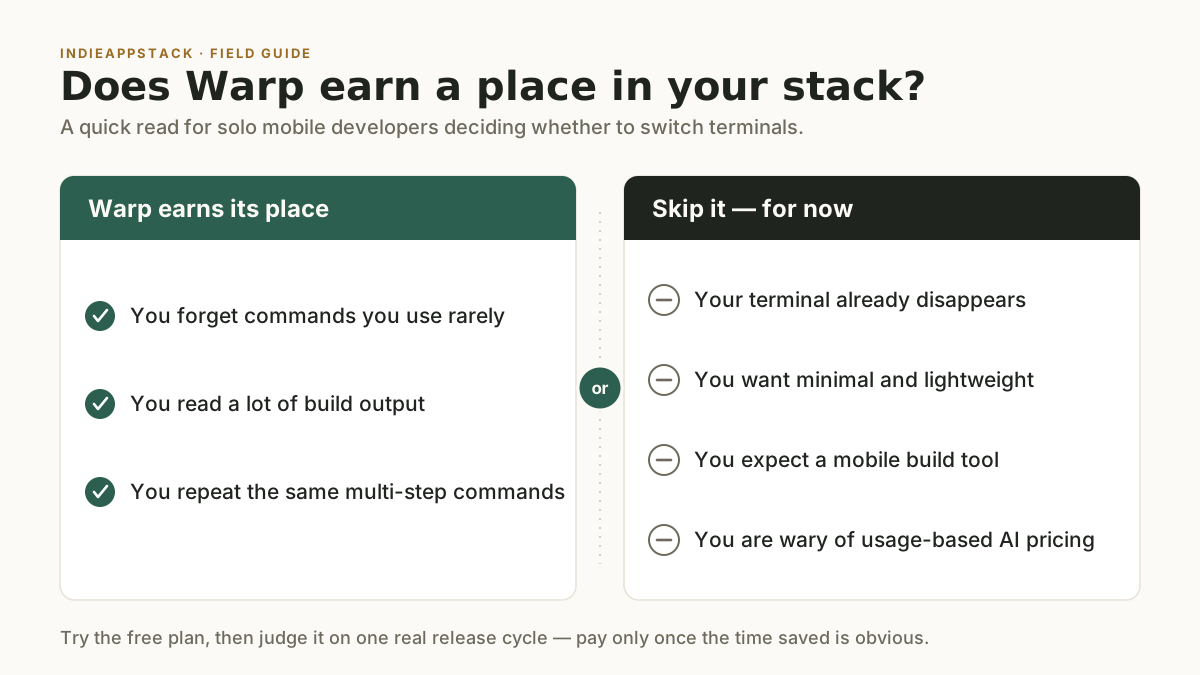
| You forget commands you use rarely | Ask the terminal for the fastlane flag or git recovery step instead of switching to a browser |
| You read a lot of build output | Blocks separate each command and its output, so scanning a failed build beats endless scrollback |
| You repeat multi-step commands | Saved workflows keep parameterized commands close instead of retyped |
The theme is consistency and recall. For a solo developer wearing every hat, shaving friction off routine command-line work is a real, if modest, gain.
When to skip it
- Your terminal already disappears. If you rarely fight your current setup, Warp solves a problem you do not have.
- You want minimal and lightweight. Warp is a full-featured app, not a bare terminal.
- You expect a mobile build tool. Warp does not build, sign, or ship your app; that still belongs to fastlane, Xcode, and your CI.
- You are wary of usage-based AI pricing. Warp's AI runs on a monthly credit allowance, so plan around the free tier or bring your own AI inference.
Pricing
Warp is freemium, and its AI features run on a monthly credit allowance. These figures were checked on 2026-07-18 against the official pricing page. Warp uses a credit-based model and adjusts it, so confirm current numbers before relying on them.
Warp plans (checked 2026-07-18)
| Plan | Price | Notes |
|---|---|---|
| Free | $0 | Limited AI and cloud-agent usage; bring your own AI inference |
| Build | $20 per user per month | 1,500 credits (about $20 of included agent usage at API rates) |
| Max | $200 per user per month | 18,000 credits |
| Business | $50 per user per month | 1,500 credits per seat; SAML-based SSO |
| Enterprise | Custom | Admin controls; contact sales |
The Free plan lets you bring your own AI inference, so you can point Warp at your own model access instead of spending Warp credits. Because the AI is credit-metered, the practical question is whether the free allowance covers a normal week of your work.
How to try Warp without overcommitting
- Install the free plan and use it as your daily terminal for a week of real work: a release, a few merges, a gnarly build failure.
- Lean on the AI for the commands you usually look up, and save two or three workflows you run often.
- Watch your credit use. If the free allowance covers a normal week, you have your answer. If you hit the ceiling and the time saved is real, Build is the next step; if not, keep the free tier or your old terminal.
Ready to try it? Start with Warp, then see the full Warp tool page and the rest of the developer productivity category.
Frequently asked questions
Is Warp free for indie developers?
Yes. Warp has a free plan with a limited monthly AI allowance and support for bringing your own AI inference, which is enough for many solo developers. Paid plans start at $20 per user per month (checked 2026-07-18) and add more credits and team features.
Does Warp work for iOS and Android development?
Warp is a general desktop terminal for macOS, Windows, and Linux; it is not iOS or Android specific. It helps with the command-line work around mobile development, such as git, fastlane, and build and release scripts, but it does not build or ship the app itself.
Do I need Warp if I already use fastlane?
No. They solve different problems. fastlane automates the release steps; Warp is the terminal you run those steps in. Warp can make fastlane commands easier to recall and rerun, but fastlane does the actual work.
Is an AI terminal safe to use on a work machine?
Warp's Business plan adds SAML-based SSO for teams, and the Free plan lets you bring your own AI inference. If data handling matters, review Warp's current privacy and data-retention terms before connecting it to sensitive repositories.
The recommendation
For a solo mobile developer, Warp is a reasonable pick in the developer productivity category if command-line work is a daily part of your build-and-release loop and you want AI recall plus cleaner output. Start on the free plan, judge it on one real release cycle, and only pay once the time saved is obvious. If your current terminal already stays out of your way, there is no urgency to switch.
Source checks
Pricing, platform, and product claims were checked on 2026-07-18 against official sources:
- Warp pricing: https://www.warp.dev/pricing
- Warp downloads and platform support: https://www.warp.dev/download
No hands-on testing claims are made in this article. No screenshots are used. Affiliate links are disclosed and use the site's /go redirect.
Last checked: 2026-07-18.